Ring Alarm 5-Piece Kit Review: Worth It? (October 2026)
The Ring Alarm 5-Piece Kit fits apartments and condos with modest sensor needs. Choose it for keypad control, app alerts and room to expand; count your doors and windows before deciding whether its single contact sensor is enough.
On this page (9 sections)
- What comes with the Ring Alarm 5-Piece Kit?
- Who should buy this Ring starter kit, and who should skip it?
- What does Ring Protect add?
- Ring Alarm 5-Piece Kit vs. SimpliSafe and eufy
- Is one contact sensor enough for your home?
- How should you set up the kit for daily use?
- What care and use habits keep the alarm useful?
- Which mistakes should you avoid before buying?
- Should you choose the Ring Alarm 5-Piece Kit?
The Ring Alarm 5-Piece Kit is a useful starter alarm for an apartment or condo if one door or window sensor meets your initial needs. Its keypad, app alerts and expansion options suit a household that wants a simple starting point.
The main buying question is coverage, not floor area. A small ground-floor apartment with several accessible windows can need more sensors than a larger condo with one entrance.
Choose the equipment around those openings, then decide which subscription features you want. That keeps an attractive starter bundle from becoming an incomplete alarm plan.
What comes with the Ring Alarm 5-Piece Kit?
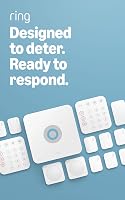
The kit includes a base station, keypad, contact sensor, motion detector and range extender. Five pieces means five components, not five monitored doors or rooms.
Ring Alarm 5-Piece Kit: Best for small apartments

- Keypad control and Ring app notifications
- Includes a range extender
- Expandable with separately sold sensors and accessories
A starter alarm for a small apartment or condo where one entry sensor meets the initial coverage plan. Separately sold sensors allow expansion, while selected remote controls and monitoring features require a compatible Ring Protect plan.
Pros
- Keypad arms and disarms the system
- App notifications when the system is triggered
- Includes a range extender
- Supports additional Ring Alarm sensors
Cons
- Only one contact sensor is included
- Remote arming and outage connectivity require a compatible Ring Protect plan
- Professional monitoring requires a separate subscription
The contact sensor detects when a door or window opens. The motion detector addresses movement in its detection area, while the keypad gives household members a place to arm and disarm the alarm.
That distinction matters when comparing bundles. A base station and a control device are necessary parts of a system, but they don't replace sensors on additional openings.
How should you expand the Ring Alarm 5-Piece Kit?
Add separately sold Ring Alarm sensors and accessories where your coverage plan calls for them. Start with the doors and windows you want opening alerts from, rather than buying extras simply to increase the piece count.
For example, placing the included contact sensor on a front door leaves a patio door without its own opening sensor. A motion detector elsewhere doesn't make those two locations equivalent.
Plan any expansion before ordering. A starter kit makes sense when it matches your first stage of coverage, but buying a small bundle and immediately adding several sensors deserves a comparison with larger bundles.
Who should buy this Ring starter kit, and who should skip it?
Buy this kit if you want a small Ring alarm setup that can grow and you're comfortable choosing paid services separately. It suits a household whose first priority is one entrance plus motion detection in a suitable area.
It also fits someone who prefers a shared keypad over making every household member reach for a phone. Agree on a routine everyone can follow when leaving, returning or letting another person in.
Skip this bundle if several doors and windows need individual opening alerts from day one. Extra sensors may solve that need, but they belong in the buying plan before you settle on the kit.
Choose another option if avoiding recurring fees is your main requirement and eufy's included coverage fits your home. If a key fob is a priority, the SimpliSafe alternative below deserves closer attention.
For help turning a floor plan into an equipment list, use our guide to choosing a DIY home alarm kit.
What does Ring Protect add?
A compatible Ring Protect plan adds remote arming, connectivity during a Wi-Fi outage and access to professional monitoring. These are separate buying considerations from the hardware in the box.
Remote arming matters if you expect to control the alarm after leaving home. Don't assume that receiving a phone notification means every remote control feature is included.
Ring offers 24/7 professional monitoring for emergency police, fire and medical response through a separately sold subscription. An app alert tells you something happened; a monitoring service adds another party to the response process.
Decide who will act when an alert arrives while you're working, asleep or away from your phone. A household response plan should identify who checks the alert and how that person contacts help when needed.
Alexa voice arming and disarming also require a Ring Protect subscription. Check Ring's plan information for applicable features and availability before choosing a service.
Our guide to using Ring Alarm without a subscription explains that choice further. For a broader view of recurring charges, read how home alarm system fees work.
Ring Alarm 5-Piece Kit vs. SimpliSafe and eufy
Choose Ring for an expandable Ring setup, eufy for fee-free alerts, or SimpliSafe for its key fob. The best fit depends on how you'll use the alarm each day.
| Kit | Buyer priority | Main buying limit |
|---|---|---|
| Ring Alarm 5-Piece Kit | Starting small within Ring and adding coverage later | Several useful service features require a compatible plan |
| eufy 5-Piece Home Alarm Kit | Avoiding monthly fees and monitoring two openings | Larger coverage needs still require planning beyond this bundle |
| SimpliSafe 5-Piece Wireless System | Using a key fob or at-home voice arming | Several openings need more coverage than this starter bundle provides |
eufy 5-Piece Home Alarm Kit: Best for fee-free alerts

- Two entry sensors
- App alerts for motion or a breach
- No monthly fees
Choose eufy when two doors or windows need separate sensors and avoiding monthly fees is a priority. Its app alerts suit buyers prepared to notice notifications and decide what to do next.
Pros
- Includes 2 entry sensors
- App alerts for motion or a breach
- No monthly fees
- Includes mounts for the motion sensor and keypad
Cons
- No range extender is included
- Homes with more than 2 priority openings need a broader coverage plan
The eufy kit makes sense when you want separate opening alerts at two locations without monthly fees. A front door and a patio door, or a door and an accessible window, are practical reasons to prefer its sensor mix.
Its box contains a HomeBase, keypad, motion sensor and two entry sensors. Entry sensors attach to doors and windows, and included mounts secure the motion sensor and keypad to walls.
App notifications cover motion or a breach. That suits a buyer prepared to keep notifications enabled and take responsibility for checking alerts.
Skip this kit if your must-have service is professional monitoring and you haven't confirmed an appropriate option. The clear reason to choose it here is its included opening coverage and fee-free app alerts.
SimpliSafe 5-Piece Wireless System: Best for key fob users

- Includes a key fob
- At-home arming with Alexa or Google Assistant
- Setup requires no wiring or drilling
A starter system for households that want a key fob and at-home voice arming through Alexa or Google Assistant. Optional professional monitoring is available without a long-term contract.
Pros
- Includes a key fob
- At-home arming with Alexa or Google Assistant
- No wiring or drilling required
- Optional professional monitoring without a long-term contract
Cons
- Only one entry sensor is included
- Professional monitoring is a separate option
SimpliSafe suits a household that values a key fob alongside keypad control. It also supports at-home arming through Amazon Alexa or Google Assistant.
Setup involves plugging in the base station, following the SimpliSafe app and placing sensors without wiring or drilling. SimpliSafe also offers installation help directly, which is useful if you'd rather ask for assistance than guess at placement.
Its optional professional monitoring has no long-term contract. Decide whether that service fits your routine before treating monitoring as part of your setup.
Skip this small bundle if your main goal is opening detection across several doors and windows.
For more detail on the two brands, read Ring Alarm vs. SimpliSafe.
Is one contact sensor enough for your home?
One contact sensor is enough only when one monitored opening matches your starting plan. Count locations you need to cover, rather than using bedroom count as a shortcut.
Walk through the home and write down exterior doors, patio or balcony access, and accessible windows. Mark which openings need their own alert and which areas you want motion detection to cover.
A front-door sensor can be a sensible first step in a condo with limited exterior access. A ground-floor home with a rear entrance and several reachable windows calls for a different plan.
Also consider how people move through the home while the alarm is armed. A shared hallway, late-night trips between rooms or different work schedules can affect where a motion sensor belongs and how you use it.
Don't assume a motion detector identifies which window opened or detects movement through walls. Follow its placement instructions and check coverage in the actual location before relying on it.
Our door and window alarm sensor guide explains how to think about individual openings and mounting choices.
How should you set up the kit for daily use?
Set up the alarm around entry routes, suitable sensor positions and controls everyone can reach. Follow Ring's component instructions in order, and check each device before moving on.
- Map the first sensor locations. Pick the opening and motion area that match your coverage priorities.
- Choose accessible control positions. Place the keypad where you can use it during arrival and departure without an awkward detour.
- Check communication before final mounting. Confirm that each device works from its intended position, following the setup instructions.
- Prepare mounting surfaces as directed. Check rental rules and confirm the door or window can open and close freely.
- Confirm alerts and teach the routine. Use the manufacturer's prescribed checks, then walk household members through arming and disarming.
For a contact sensor, pay close attention to the required alignment and gap between its parts. A location that looks tidy can still be unsuitable if the frame prevents correct placement.
Place the motion detector according to its instructions, with a clear view of the intended area. Don't assume pet suitability or a particular detection distance without confirming the guidance for that device.
Keep the base station and other equipment accessible for maintenance. Avoid positions where furniture, stored boxes or routine cleaning will knock components out of place.
Before everyone starts using the system, read our guide to arming Ring Alarm. A consistent household routine is as important as choosing the sensor locations.
What care and use habits keep the alarm useful?
Keep sensors secure, devices powered and notification settings usable. An alarm needs occasional checks even when no one has changed its settings on purpose.
Look for loose mounts, shifted sensor parts and objects blocking the motion detector. Pay particular attention after moving furniture, replacing a door or window, or having work done near a device.
Follow the instructions for cleaning and battery replacement rather than applying a general schedule to every component. Don't spray cleaner directly onto devices or assume all parts use the same power source.
Check alerts after changing phones or altering notification permissions. A working sensor won't help you notice an event promptly if your phone suppresses its notifications.
Review access when someone moves out or no longer needs to operate the alarm. Teach new household members the routine before expecting them to use it without help.
If you use professional monitoring, follow the provider's procedure before making checks that could trigger an alarm. Keep contact details current so the service has the information it needs.
Which mistakes should you avoid before buying?
Avoid confusing a starter bundle with complete home coverage. The right purchase starts with an equipment list and a response plan.
- Counting every piece as a sensor. Control devices and communication equipment don't add another monitored opening.
- Choosing by apartment size alone. Accessible entrances and windows matter more than the number of rooms.
- Assuming app alerts include every remote feature. Separate notifications, remote control and monitoring when comparing services.
- Mounting everything before checking placement. Confirm alignment, communication and practical access first.
- Ignoring other household members. A routine that only one person understands is difficult to maintain.
If your plan already calls for several additional sensors, compare the Ring Alarm 8-Piece Kit and Ring Alarm 14-Piece Kit. Match their included equipment to your list rather than choosing the largest box automatically.
Should you choose the Ring Alarm 5-Piece Kit?
Choose the Ring Alarm 5-Piece Kit when your first stage of coverage is small and you want to expand within Ring. Make the subscription decision before buying if remote arming, outage connectivity or professional monitoring is part of your plan.
Choose eufy when its two opening sensors and fee-free alerts match your needs. Choose SimpliSafe when the included key fob, at-home voice arming and optional monitoring better fit your household.
Before ordering, write down your priority openings, preferred controls and who will respond to alerts. Use those three answers to confirm the bundle, then review Ring Alarm subscription costs as your next step.
Frequently asked questions
What comes in the Ring Alarm 5-Piece Kit?
The Ring Alarm 5-Piece Kit includes a base station, keypad, contact sensor, motion detector and range extender; only the contact sensor and motion detector provide the included opening and motion detection. Count the doors and windows you want monitored before deciding whether to add separately sold sensors.
Does the Ring Alarm 5-Piece Kit require a subscription?
A compatible Ring Protect subscription is required for remote arming, connectivity during a Wi-Fi outage and professional monitoring; Alexa voice arming and disarming also require a subscription. The kit provides a keypad for local arming and disarming, so separate your basic control needs from the services you want.
Is the Ring Alarm 5-Piece Kit suitable for an apartment?
Yes, the Ring Alarm 5-Piece Kit suits an apartment where its starting sensor coverage matches the layout; a single entrance may be a reasonable first priority, but accessible windows or a second door can change the plan. Check rental mounting rules and count those openings before buying.
How does Ring Alarm compare with the SimpliSafe 5-Piece System?
Ring includes a range extender, while SimpliSafe includes a key fob and supports at-home arming with Alexa or Google Assistant; both provide one entry sensor and one motion sensor. Choose between them based on your preferred controls and service needs, rather than expecting either starter bundle to cover several openings.