Ring Alarm 14-Piece Kit Review: Worth It? (October 2026)
The Ring Alarm 14-Piece Kit suits homes with several entry points that need door, window and room coverage. Choose it when its sensor layout fits your home and you want Ring app alerts; remote arming and professional monitoring require a compatible subscription.
On this page (10 sections)
- What does the Ring Alarm 14-Piece Kit include?
- How many sensors does your home need?
- How should you set up the kit?
- How does Ring Alarm work day to day?
- What features require a Ring subscription?
- How does it compare with SimpliSafe?
- How does Ring Alarm Pro compare?
- What mistakes should you avoid?
- How do you care for and expand the system?
- Should you buy the Ring Alarm 14-Piece Kit?
The Ring Alarm 14-Piece Kit is a good choice for homes with several doors and accessible windows to monitor, especially when you want alarm controls in 2 places. Choose it for its entry coverage and Ring app alerts, with a compatible subscription if you need remote arming or professional monitoring.
Ring describes this package as a fit for 2–4 bedroom homes, but bedroom count is only a starting point. Your floor plan, daily routines and number of openings matter more than the number on the box.
What does the Ring Alarm 14-Piece Kit include?
The kit includes 1 Base Station, 2 Keypads, 8 Contact Sensors, 2 Motion Detectors and 1 Range Extender. Those 14 pieces serve different jobs, so the kit does not cover 14 separate doors or windows.
Ring Alarm 14-Piece Kit: Best for multi-entry homes
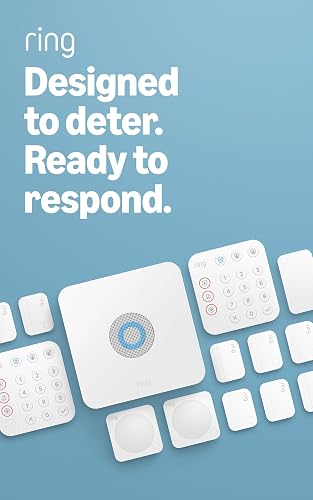
- Base Station
- 2 Keypads
- 8 Contact Sensors
- 2 Motion Detectors
- Range Extender
Choose this kit for several exterior doors and accessible windows, with a second keypad where your household needs it. It offers entry coverage and room to add compatible sensors.
Pros
- Contact sensors cover 8 doors or windows
- 2 Keypads support separate control locations
- Mobile notifications when the system is triggered
- Additional Alarm Sensors and accessories can be added
Cons
- Remote arming and professional monitoring require a compatible subscription
- More hardware than some small homes need
- No camera included
Contact Sensors detect when a door or window opens. Motion Detectors add coverage inside rooms or halls, while the Keypads let you arm and disarm the alarm.
A practical layout might assign contact sensors to a front door, back door, side door and 5 accessible windows. That uses the full entry-sensor allowance before accounting for any other openings you want covered.
The second keypad earns its place when household members regularly use different entrances. It can also make sense near sleeping areas if that location fits Ring's placement guidance and your routine.
When does a Ring Alarm 14 piece kit make sense?
Choose this package when most of its sensors have a clear job on your floor plan. It suits a home with several entry routes better than a small space where much of the hardware would sit unused.
Skip it if you only need to monitor a few openings and have no use for another keypad. Compare the Ring Alarm 8-Piece Kit and Ring Alarm 5-Piece Kit before buying extra hardware for a vague future need.
How many sensors does your home need?
Count the doors and windows you actually want monitored, then plan motion coverage separately. A contact sensor and a motion detector answer different questions: whether an opening moved and whether movement occurred inside an area.
Start with exterior doors and accessible windows, including openings at the side or rear of the home. Draw a simple floor plan and mark each proposed sensor so you can spot gaps before ordering.
For example, a home with 3 exterior doors and 7 windows you want monitored needs more contact sensors than this package includes. You would need compatible additions or a different coverage plan.
Don't assume a motion detector replaces every contact sensor in the room. If you want an alert specifically when a window opens, put that opening on your contact-sensor plan.
Shared rooms also need thought because people may move through them while the alarm is armed. Place detectors and choose arming settings according to the manufacturer's guidance and how your household uses the space.
Our guide to choosing a DIY home alarm system helps you turn that floor plan into a kit choice. For a closer look at opening coverage, see the guide to door and window alarm sensors.
How should you set up the kit?
Set up the kit around your coverage plan and household routine, then check each device before relying on it. Finish the app setup and placement checks before making every mounting position permanent.
- Label the planned locations. Use clear names such as “back kitchen door” so an alert identifies the opening without guesswork.
- Choose control locations. Put keypads where authorized household members can reach them during normal arrivals and departures.
- Follow the device instructions. Use Ring's guidance for Base Station placement, contact-sensor alignment and motion-detector position.
- Check communication in place. Confirm that each device communicates from its intended location, using the Range Extender according to Ring's instructions.
- Check opening detection. Open and close each protected door or window and confirm that the system identifies the correct device.
- Teach the routine. Make sure household members understand how to arm, disarm and respond to an unexpected alert.
Door and window frames are worth inspecting before attaching anything. Trim, uneven surfaces and moving parts can affect where a sensor and its matching piece will fit.
Follow the supplied mounting directions, including surface preparation. If you rent, check which attachment methods your lease allows before putting hardware on painted walls or frames.
Once setup is complete, use our guide to arming Ring Alarm to build a routine everyone can follow.
How does Ring Alarm work day to day?
Daily use centers on keypad controls and Ring app notifications. The Keypads arm and disarm the alarm, while the app lets you monitor Ring devices and receive notifications when the system is triggered.
Choose control locations based on the door people actually use. A keypad beside an infrequently used entrance adds less value than one on the household's normal route.
Make alert names easy to understand on a small phone screen. “Downstairs rear window” is more useful than a device name that means nothing when you're away.
Decide who will respond to alerts and what they'll do if they miss one. A notification helps only when someone notices it and has a clear next step.
Alexa voice arming and disarming require a Ring Protect subscription. Treat voice control as a feature to plan for, rather than the reason to choose this sensor package.
What features require a Ring subscription?
A compatible Ring Protect Plan is required for remote arming and professional monitoring. Ring also offers plan features that keep the system online if Wi-Fi goes down, so match the plan to the functions you need.
App notifications, remote control and professional monitoring are separate parts of the decision. Don't assume that getting an alert means a monitoring service is also arranging emergency help.
Our guide to using Ring Alarm without a subscription explains the distinction between local controls and subscription features. Review those needs before choosing hardware based on a monthly plan you may not want.
With self-monitoring, your household takes responsibility for noticing alerts and deciding what to do. Read what a self-monitored home security system is if you're weighing that approach.
Professional monitoring adds a service that can seek emergency help, but it does not guarantee response timing. Consider who is available to act when your phone is muted or you're asleep.
Use Ring's Alarm and subscription information to confirm the compatible plan for your setup. Include ongoing service needs in your decision rather than treating the hardware as the whole system.
How does it compare with SimpliSafe?
The SimpliSafe 12-Piece System with HD Camera suits buyers who want indoor video in the starter bundle. Its mix of devices favors a camera, key fob and panic button over the Ring kit's larger entry-sensor allowance.
SimpliSafe 12-Piece System with HD Camera: Best for indoor camera users

- Base Station
- Keypad
- 5 Entry Sensors
- 2 Motion Sensors
- Key Fob
- Panic Button
- SimpliCam Wired Indoor Camera
Choose this bundle when an indoor camera, key fob and panic button serve your household better than extra entry sensors. The camera's privacy shutter gives you a physical way to cover its view.
Pros
- Includes a wired indoor camera with privacy shutter
- Includes a key fob and panic button
- App control for arming and disarming
- Optional professional monitoring without a long-term contract
Cons
- Fewer entry sensors than either Ring kit
- Panic button police dispatch requires professional monitoring
- Camera needs a wired indoor location
- Products and services are supported only in the US
This bundle includes 5 Entry Sensors, 2 Motion Sensors, a Base Station and a Keypad alongside those extra controls. The SimpliCam is a wired indoor camera with a built-in privacy shutter.
Choose it when seeing inside a shared room matters and you can place the camera near suitable power. Discuss the camera location with everyone who uses that room, and agree on when to close the shutter.
Skip this bundle if your main need is covering more doors and windows from the box. Also skip it if you need an outdoor camera, since the included camera is intended for indoor use.
SimpliSafe supports app arming and disarming, with optional professional monitoring and no long-term contract. Police dispatch through the Panic Button requires a subscription to 24/7 professional monitoring.
SimpliSafe products and monitoring services are offered for sale and supported only in the US. Our Ring Alarm vs SimpliSafe comparison can help you weigh the different device mixes and service choices.
How does Ring Alarm Pro compare?
Ring Alarm Pro suits households planning an alarm and Wi-Fi upgrade together. Its built-in eero Wi-Fi 6 router changes the Base Station's role, while the included sensor and keypad counts match the standard kit.
Ring Alarm Pro 14-Piece Kit: Best for home network upgrades

- Alarm Pro Base Station
- Built-in eero Wi-Fi 6 router
- 2 Keypads
- 8 Contact Sensors
- 2 Motion Detectors
- Range Extender
Choose Pro when you want to plan your alarm and home Wi-Fi together. Its built-in router adds a network role without increasing the included door and window sensor count.
Pros
- Built-in eero Wi-Fi 6 router
- Same core sensor package as the standard Ring kit
- Supports additional Alarm Sensors and compatible eero 6 extenders
- Setup uses the Ring and eero apps
Cons
- Router features offer little value if your network already meets your needs
- Home layout can affect Wi-Fi coverage
- Remote arming and professional monitoring require a compatible subscription
Ring says the router supports speeds up to 900 Mbps and coverage up to 1,500 sq ft. Walls, placement, connected devices and your internet service can affect what you get at home.
Choose Pro if the router addresses a current network need and you're ready to plan its placement. The location that works for your alarm also needs to make sense for Wi-Fi coverage.
Setup uses the Ring and eero apps, and compatible eero 6 extenders are sold separately. Plan those network additions separately from extra alarm sensors because they solve different coverage needs.
Skip Pro if your existing network already meets your needs and you only want door, window and motion detection. The built-in router gives you little reason to change an otherwise suitable setup.
See Ring Alarm vs Ring Alarm Pro before choosing. Both need a compatible subscription for remote arming and professional monitoring, so Pro should earn its place through useful network features.
What mistakes should you avoid?
The biggest mistake is buying by total piece count instead of coverage. A keypad, camera and contact sensor each count as a piece, but they serve different needs.
Avoid these other planning errors:
- Mounting everything before checking placement. Confirm alignment, opening detection and communication before committing to each position.
- Confusing an alarm extender with Wi-Fi coverage. Plan the alarm's device connections separately from the coverage your home network needs.
- Ignoring daily movement. Account for people and pets when choosing motion-detector locations, following the manufacturer's instructions.
- Expecting cameras in the standard Ring kit. Decide whether video is part of your goal before comparing bundles.
- Assuming remote controls are included without a plan. Confirm the subscription needed for the way you want to use the alarm.
- Leaving the household out of setup. Everyone who uses the alarm needs clear instructions for normal use and unexpected alerts.
Don't treat the device count as a measure of overall home security, either. Keep doors, windows and locks in good repair alongside the alarm.
How do you care for and expand the system?
Keep the system useful by checking device status and revisiting coverage when your home changes. Compatible Ring Alarm Sensors and accessories are available separately when you identify a specific gap.
Check mounts and alignment after a door adjustment, window repair or furniture move near a device. Follow Ring's maintenance guidance and respond to any battery or device-status messages your setup provides.
Keep sensor housings clean according to their care instructions, and avoid painting over devices. Recheck coverage after moving large furniture or changing how a room is used.
Review notification permissions after changing phones or app settings. An alarm routine should include making sure the right household members can still receive and understand alerts.
Buy additions for a named location or purpose, such as an uncovered rear window. Check compatibility and any service requirements before adding an accessory.
Should you buy the Ring Alarm 14-Piece Kit?
Buy the Ring Alarm 14-Piece Kit when entry coverage is your main need and your floor plan gives the included hardware useful jobs. Before ordering, write down the opening assigned to each contact sensor and the location of each control.
Choose SimpliSafe when an included indoor camera and extra control options matter more than covering additional openings. Choose Ring Alarm Pro when its router solves a network need alongside the alarm.
If your coverage plan leaves several devices unused, choose a smaller package and expand for specific gaps later. For more Ring choices, explore our Ring Alarm guide.
Once you've chosen the hardware, use our guide to the cost of home security systems to plan for the service and additions you'll actually use.
Frequently asked questions
What comes in the Ring Alarm 14-Piece Kit?
The Ring Alarm 14-Piece Kit includes 1 Base Station, 2 Keypads, 8 Contact Sensors, 2 Motion Detectors and 1 Range Extender. The piece count includes the control devices, so it does not mean 14 monitored openings; additional compatible Alarm Sensors and accessories are sold separately.
Does the Ring Alarm 14-Piece Kit need a subscription?
A compatible Ring Protect Plan is required for remote arming, Alexa voice arming and disarming, and professional monitoring; Ring also offers mobile trigger notifications and device monitoring through its app. Check the plan requirements for the controls and connection backup you want before choosing your setup.
What is the difference between Ring Alarm and Ring Alarm Pro?
Ring Alarm Pro adds a built-in eero Wi-Fi 6 router to its Base Station; the 2 kits have the same core sensor package, so Pro does not give you more monitored openings out of the box. Choose Pro when its network features address a need in your home.
Is the Ring Alarm 14-Piece Kit suitable for an apartment?
It can suit an apartment with several doors or accessible windows to monitor, but a smaller kit may fit a compact unit better. Count the openings you want covered, decide where each keypad would go, and check your lease before attaching devices to doors, walls or window frames.


