How Much Does SimpliSafe Cost per Month?
SimpliSafe cost includes equipment plus any optional professional monitoring you choose. There's no required monitoring subscription; the monthly charge depends on your selected plan.
On this page (7 sections)
- How much does SimpliSafe cost per month?
- What does a SimpliSafe monitoring plan add?
- Can you use SimpliSafe without monitoring?
- Which SimpliSafe equipment should you consider?
- How should you set up and care for the system?
- What mistakes can increase your costs or leave gaps?
- Which SimpliSafe setup is worth paying for?
SimpliSafe cost has 2 separate parts: equipment and optional professional monitoring. You can skip the monitoring subscription, while a paid plan's monthly charge depends on the services you choose.
Start with the doors, windows, and rooms you need to cover. Then decide who should respond when an alarm occurs, and compare the services and billing terms on the current SimpliSafe plans.
How much does SimpliSafe cost per month?
There is no required professional monitoring subscription. If you choose monitoring, use the charge for your selected plan when working out your ongoing budget.
Separate the initial equipment expense from recurring service. Extra sensors change your hardware budget; features involving monitoring agents depend on the service you select.
A useful first-year budget is the equipment total, plus monitoring charges for the months you'll pay for, plus any installation help you arrange. Keep introductory offers separate so they don't hide the ongoing commitment.
Don't choose a plan from its name alone. Check whether it includes the specific response you want, such as emergency dispatch or eligible camera intervention.
How to compare SimpliSafe costs without overbuying
Compare complete setups that meet the same needs, rather than choosing by bundle size. Count the entry points you want covered, identify rooms needing motion detection, and decide whether an indoor camera serves a clear purpose.
A larger bundle makes sense when you'll use its added devices. If it leaves sensors unused or adds a camera you don't want indoors, compare a smaller kit with only the compatible extras you need.
For a broader view of equipment, monitoring, and setup, see how much a home security system costs.
What does a SimpliSafe monitoring plan add?
Professional monitoring adds agents who respond to alarm signals. SimpliSafe says its agents can alert emergency responders, but the services available depend on your plan.
The 8-Piece and 9-Piece systems include an offer for 1 free month of professional monitoring. Check eligibility, activation terms, and when paid billing begins before accepting it.
SimpliSafe describes its optional monitoring as having no long-term contracts. Review the cancellation process and billing rules, especially if you only want service during a trip or another short period.
Professional monitoring suits households that want help responding while people are asleep, away, or unable to check a phone. It doesn't promise a particular arrival time for emergency responders.
For a broader comparison of recurring charges, see home security system monthly fees. Our guide to home security systems with no monthly fee covers alternatives for buyers who want to avoid a required subscription.
Can you use SimpliSafe without monitoring?
Yes, professional monitoring is optional, but confirm which app, alert, and camera functions remain available without a plan. Hardware ownership and access to every service are separate questions.
Without professional monitoring, you won't have that service's agents responding to alarms. If you intend to handle alerts yourself, decide who will check them during work, travel, and overnight.
A shared household needs a clear response plan. Agree on who checks an alert, how you'll contact each other, and when to seek emergency help.
Our guide to using SimpliSafe without monitoring explains what to consider before skipping the service. For a wider overview, read what a self-monitored home security system is.
Which SimpliSafe equipment should you consider?
Choose equipment by coverage needs and how you'll use it. Count actual sensors and cameras rather than treating the number in a bundle name as the number of protected openings.
SimpliSafe 8-Piece: for a focused alarm setup
The SimpliSafe 8-Piece Wireless System includes a Base Station, Keypad, 4 Entry Sensors, 1 Motion Sensor, and 1 Panic Button. It suits a household that wants contact sensors at selected openings and motion detection in one room.
Choose it if you want an alarm setup without an included indoor camera. Skip it if your coverage map calls for more openings or separate rooms than its sensors can cover.
The Panic Button is useful only if everyone knows where it is and when to use it. Its police-dispatch function requires professional monitoring, so don't count on that response without the service.
SimpliSafe 9-Piece: for an indoor view
The SimpliSafe 9-Piece System with HD Camera includes a Base Station, Keypad, 4 Entry Sensors, 2 Motion Sensors, and a SimpliCam wired indoor camera. The camera supports viewing from your phone and has a stainless steel privacy shutter.
Choose this setup when you want to see an indoor area and have a suitable place to plug in the camera. The extra motion sensor also helps when your layout calls for coverage in separate rooms.
Skip it if you don't want a camera indoors or can't route its power cord safely. A camera aimed at an unhelpful view adds little to your plan, even if the bundle looks appealing.
SimpliSafe 11-Piece: for more entry points
The SimpliSafe 11-Piece System with Camera includes a Base Station, Keypad, 6 Entry Sensors, 2 Motion Sensors, and a wireless indoor camera. It suits a home with more openings to cover and a clear reason for indoor video.
Its Smart Alarm camera has a privacy shutter and supports agents seeing and speaking to intruders during an alarm with select monitoring plans. Choose it for that service only after confirming the eligible plan fits your recurring budget.
Skip this bundle if the extra coverage will sit unused. Also avoid paying for its camera intervention capability if you don't intend to subscribe to a plan that supports it.
SimpliSafe Entry Sensor: for one coverage gap
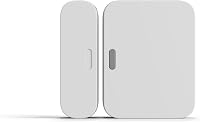
The SimpliSafe Entry Sensor adds door, window, or cabinet coverage to a compatible Gen 3 system. It includes a preinstalled battery, extra adhesives, and screws for mounting.
Choose it when your existing setup lacks coverage at one opening. Skip it as a standalone alarm purchase or if you haven't confirmed that your system is compatible.
It supports chimes and customizable Secret Alerts. Decide whether that opening needs an alarm, an awareness chime, or a discreet notification, then confirm any service requirements for the function you choose.
How should you set up and care for the system?
Plan device locations before attaching sensors or choosing a permanent camera position. A quick room-by-room map helps prevent wasted hardware and missed entry points.
Start with exterior doors and accessible windows, then consider rooms someone could pass through. A contact sensor detects an opening, while a motion sensor covers movement within its view; they serve different jobs.
Follow the setup guide for each sensor's alignment and placement. Clean and dry mounting surfaces, check that doors and windows move freely, and keep devices clear of moving hardware.
These kits support DIY setup, though the 9-Piece camera needs a power connection. Read our DIY versus professional alarm installation guide if mounting or placement makes outside help worthwhile.
Place motion sensors where furniture won't block their view. SimpliSafe describes them as suitable for pets under 60 lb, but follow its placement guidance rather than assuming any position will suit your pet.
Give each device a clear name, such as “back door” or “hallway.” Walk through the system's setup checks, and use the approved check procedure for panic functions to avoid an unintended emergency request.
Check mounts and device status regularly, especially after moving furniture or changing a door. Follow device-specific battery instructions; our SimpliSafe battery replacement guide helps you prepare for that upkeep.
What mistakes can increase your costs or leave gaps?
The biggest mistakes are buying unused devices and assuming hardware includes every service. Match each purchase to a location or a response you actually need.
Avoid these common errors:
- Counting bundle pieces as protected openings. Base Stations, Keypads, and cameras also count toward bundle names.
- Buying video before planning sensor coverage. An indoor view doesn't replace a contact sensor at a door you want monitored.
- Ignoring the camera's location. Check the view, privacy needs, and power arrangement before choosing a kit.
- Treating an introductory offer as ongoing service. Know when it ends and what happens next.
- Expecting every monitoring feature on every plan. Panic-button dispatch and camera intervention have service requirements.
- Overlooking support location. SimpliSafe products and professional monitoring services are offered for sale and supported in the US.
Before enrolling, check app access, alerts, camera functions, emergency dispatch, and cancellation terms together. That gives you a usable setup rather than a collection of devices with unclear service access.
If you're comparing ecosystems before committing, our Ring Alarm vs SimpliSafe guide explains the system differences.
Which SimpliSafe setup is worth paying for?
Choose the smallest setup that covers your planned locations, then pay for monitoring only when its response services fit your needs. This keeps SimpliSafe costs tied to daily use.
Pick the 8-Piece for focused sensor coverage without an included camera. Choose the 9-Piece for a wired indoor view, or the 11-Piece when you need more entry sensors and want its camera options.
Add the standalone Entry Sensor when an existing Gen 3 system has one specific gap. For monitoring, decide whether you want agents involved during an alarm, then check the plan for the exact services you expect.
Use our SimpliSafe 8-Piece Wireless System review to take a closer look at the smaller kit before building your equipment budget.
Frequently asked questions
Does SimpliSafe require a monthly fee?
No, SimpliSafe's professional monitoring is optional, so buying a system doesn't require that recurring service; equipment is a separate expense, and panic-button police dispatch requires professional monitoring. Before skipping a plan, confirm which app, alert, and camera functions your chosen setup will support.
Is SimpliSafe monitoring month to month?
SimpliSafe describes its optional professional monitoring as having no long-term contract. Before enrolling, confirm the billing cycle, cancellation process, and when paid service begins after an introductory offer; those details matter if you only want monitoring for a short period or plan to change services later.
Can I use SimpliSafe without professional monitoring?
Yes, professional monitoring is optional, but features involving monitoring agents require an eligible service; panic-button police dispatch needs professional monitoring, and camera intruder intervention needs a select plan. Our guide to using SimpliSafe without monitoring explains the questions to settle before relying on a setup without that service.
What affects SimpliSafe's monthly cost?
SimpliSafe's monthly monitoring cost depends on whether you subscribe and which plan you choose; equipment and extra sensors belong in a separate hardware budget. Compare the services you need, especially emergency response and camera intervention, then review introductory terms and cancellation rules before agreeing to recurring charges.